


Short answer: Google Shopping Ads drive revenue for Shopify stores by showing your product image, price and availability to people who are already searching to buy. They run on your Merchant Center product feed rather than keywords, which suits a well-structured catalog, and Standard Shopping campaigns give you more product-level control than Performance Max alone.
For product-based businesses, especially those running on Shopify, Google Shopping Ads offer a kind of visibility that's hard to match. These aren’t text-based search ads fighting for clicks through clever headlines. Shopping Ads show up with images, pricing, availability, and a direct path to purchase, right when someone is actively searching for what you sell.
That’s exactly why they dominate the channel.
According to Adthena research on US retailers from early 2018 (an older figure, but still widely cited), Google Shopping Ads accounted for about 76% of all retail search ad spend and drove about 85% of clicks across Shopping and text ad campaigns combined. In other words: most of the budget, and the buyer's attention, was already going here.
It’s not just the format that works. It’s the intent. When a customer sees a product listing ad, it’s not interrupting their experience, it’s answering it. And for Shopify stores with a well-structured catalog, that alignment between product data and search behavior can translate directly into conversions.
Compare that with Performance Max, where your catalog is included, but you have limited control over how and where your products appear. It becomes harder to prioritize your high-margin products, segment by performance, or even understand what’s driving results. With Google Shopping campaigns, you get to control the structure, budget, and make decisions based on real product-level data.
Why Google Shopping Ads is a Strategic Choice for Shopify Stores
Think of Google Shopping Ads this way: someone searches for “running shoes under 5k.” A Shopping Ad will instantly show your product, how much it costs, and how it looks. That’s a moment of real intent, and your product is right there, visually ready to be picked.
Product Visibility Better
Your screen loads with results, and right at the top, you see a row of image-rich product listings with prices, reviews, and store names.
Would you scroll past that to read the plain-text results? Probably not.
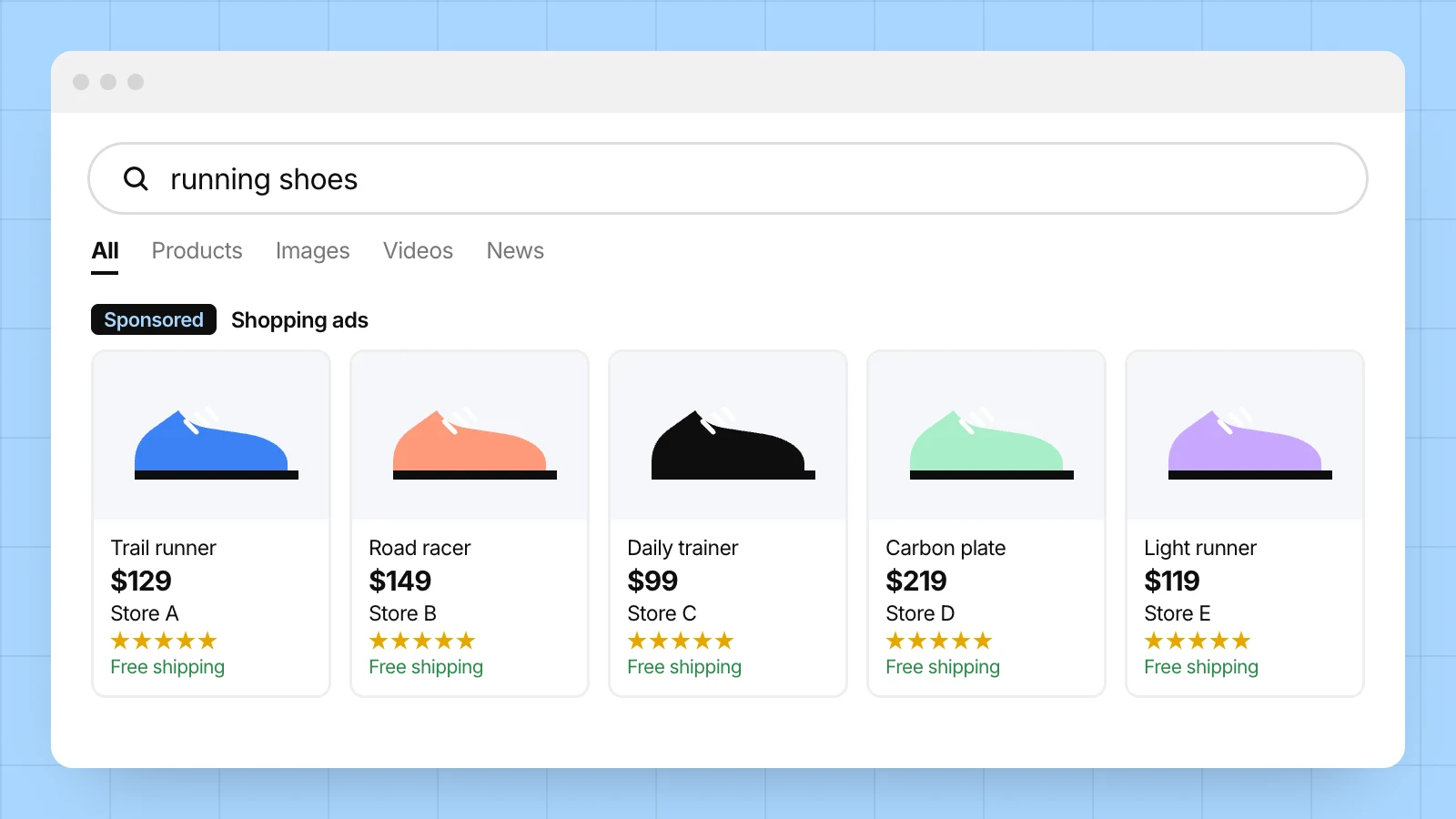
That’s the power of Shopping Ads.
When your products show up in this space, you're not just visible, you’re instantly shop-able. And if your customer finds you here, the chances of them making a purchase increase significantly.
High Purchase Intent
Google Shopping Ads transform the way shoppers discover and compare products. Instead of scanning through blocks of text, users get instant access to product images, prices, store names, and key specs, all without leaving the search page.
This visual-first experience speaks directly to today’s shopper behavior.
Google remains one of the main places shoppers start product research, alongside Amazon, so these ads meet users right at the moment of highest intent. The result of which is simple - Shoppers make faster, more confident purchase decisions, because they’re seeing what they want before they even click.
The Performance Advantage
Compared to traditional search ads, Shopping Ads deliver numbers that matter to your bottom line. The most widely cited benchmarks come from WordStream’s study of 671 US advertiser accounts (August 2018 to February 2019, median values). They are older figures, so use them as a directional guide rather than a forecast:
$0.66 average CPC, which is relatively low compared with standard text search in competitive retail categories
1.91% average conversion rate, with verticals such as medical supplies and HVAC converting higher
0.86% average CTR
For Shopify stores, especially those in competitive niches, this can mean more sales at a lower cost per acquisition. Your own CPC, conversion rate and ROAS will depend on your category, margins, feed quality and competition, so track them in your own account.
Built for Mobile
Most paid Google search clicks now happen on phones, and Shopping Ads’ scroll-friendly layout is a win. Instead of pinching and zooming through clunky search results, mobile users get an instant showroom on their screens, optimized for quick decisions.
For Shopify merchants, this mobile-ready format isn’t just an advantage, it’s becoming a necessity.
The best strategic edge you get is how Shopping Ads integrate with Shopify’s ecosystem. With the Google & YouTube channel (formerly called Google Channel), you can sync your product feed seamlessly, maintain inventory accuracy, and even automate campaign creation, making the whole setup scalable, even if you’re not a Google Shopping Ads Expert.
Shopping Ads also provide an unparalleled testing ground.
→ Want to launch a new collection?
→ Introduce a limited edition variant?
With the right campaign structure, you can test the waters, collect insights, and optimize in real time.
Read more about comprehensive digital marketing for Shopify Stores at: Ultimate Ecommerce Digital Marketing Guide for Shopify Brand
How Do Google Shopping Ads Work with Shopify?
Google Shopping Ads use the product data in your Google Merchant Center account, not keywords, to decide when and where to show your products. Shopify’s Google & YouTube channel syncs your catalog to Merchant Center automatically, and you then connect Google Ads to run campaigns on that feed.
In practice, the setup looks like this:
Connect the Google & YouTube channel. Link your Google account and a Merchant Center account to your Shopify store. Each Merchant Center account can connect to only one Shopify store at a time, and the connected Google account must be an administrator on your Google Ads account. See Shopify’s Google & YouTube channel setup guide.
Let your products sync. Shopify says the first sync can take up to 24 hours, and later changes typically sync within a few hours. Products need the data Google requires, such as a description, at least one image, and a GTIN or MPN.
Fix feed issues. Clean titles, accurate prices and availability, and correct product identifiers decide whether your products are approved and how often they show.
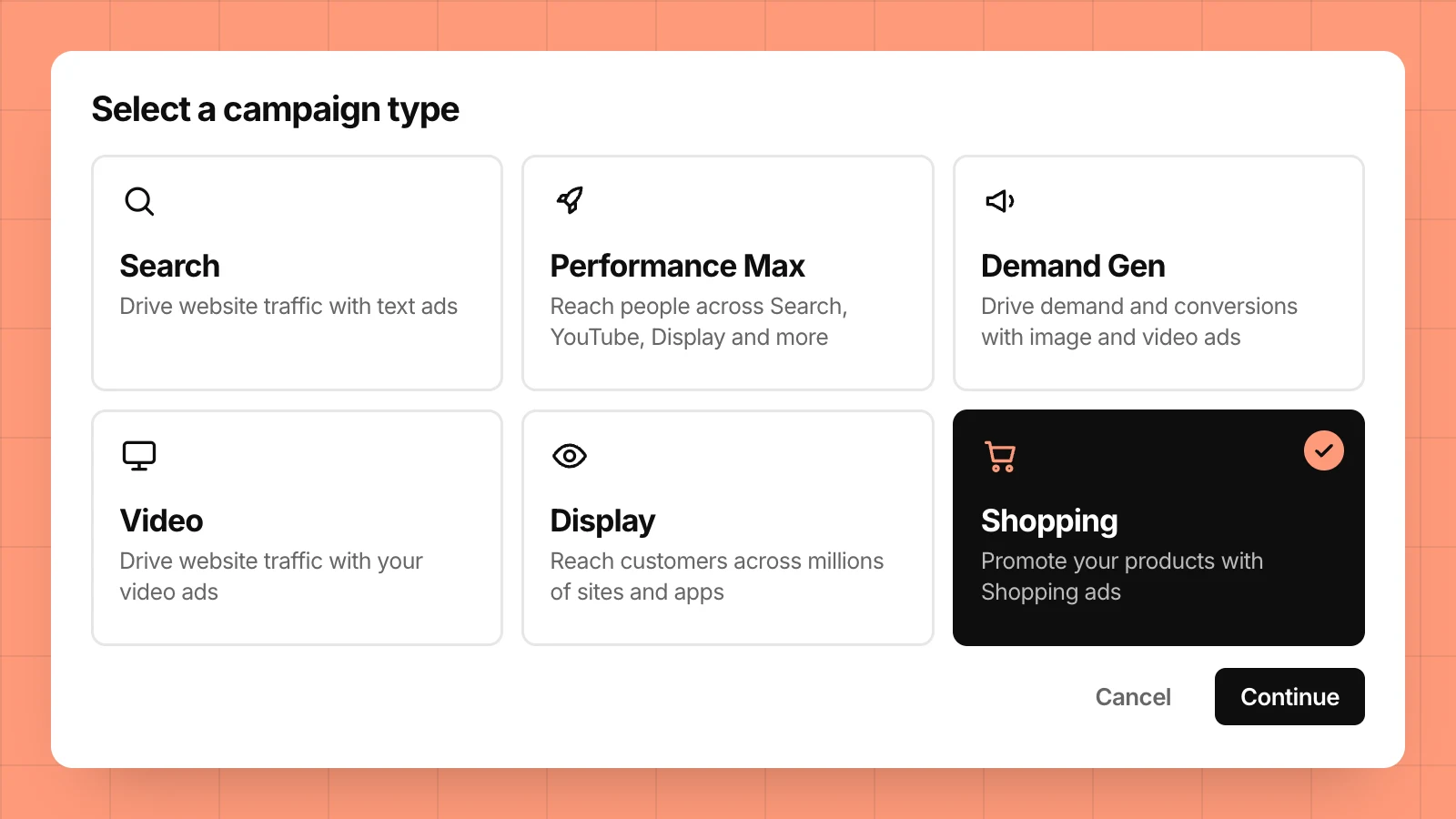
Link Google Ads and choose a campaign type. Standard Shopping campaigns are managed in Google Ads and give you product-group control. Performance Max campaigns can also use your feed, and Shopify notes they are created from your Merchant Center account.
Set up accurate conversion tracking. Without it, automated bidding and your ROAS reporting are guesswork.
Shopify also notes that, for eligible US stores, approved products can appear in the Shopping tab in free listings, so a clean feed has value even before you spend on ads.
How Shopping Ads Outperform Performance Max Campaigns (Especially for Shopify Stores)
1. Clearer Insights, Better Control
Performance Max campaigns act like a black box. You get results, but you’re often left wondering which products, keywords, or audiences are driving them. Shopping Ads, on the other hand, give you direct visibility, what’s performing and what’s not, so you can make data-backed decisions.
To be fair, Performance Max has become more transparent. In April 2025 Google announced channel performance reporting and full search terms reporting for it. Standard Shopping still gives the most direct view of product-level performance.
2. Optimized for Purchase Intent
People clicking on Shopping Ads are already browsing with a purpose. These ads showcase your product image, price, and brand name right at the top of Google Search, ideal for Shopify merchants looking to catch buyers at the decision-making stage.
3. Higher Click-Through Rates for Retail
The Adthena research cited above found Shopping Ads drove 85.3% of all retail clicks across Google Ads and Shopping campaigns (US, early 2018). Why? Because visual, price-tagged listings show shoppers what they need before they click, which tends to bring in more qualified clicks, especially when products compete head-to-head.
4. Tailored Campaign Structures
Shopping campaigns let you segment by product type, margin, seasonality, or inventory, something you can’t fully do with Performance Max. For Shopify brands managing diverse catalogs, this granularity makes a measurable difference.
Both campaign types can use custom labels (up to five per product in your feed) to group products by margin, season or best-seller status. Standard Shopping then lets you bid on those groups directly.
5. Easier A/B Testing and Scaling
Want to test product pricing, images, or titles? Shopping Ads allow for precise testing without affecting your entire marketing strategy. Performance Max can mean broader changes with less transparency, making iterative scaling harder.
6. Running Shopping and Performance Max Together
You don’t have to choose one. Since October 2024, Performance Max no longer automatically takes priority over Standard Shopping when both target the same products in one account. The campaign with the highest Ad Rank serves instead. That makes a hybrid setup practical: Performance Max for reach across Google channels, Standard Shopping for the products where you want tight control.
Google is also adding automation to Shopping campaigns themselves. On 30 April 2026 it announced AI Max for Shopping, a one-click upgrade that adds text customization, final URL expansion and optimal format selection while keeping product targeting and bidding controls. It is worth testing deliberately rather than switching on across your whole catalog. For the wider picture, read how AI and machine learning are changing digital marketing.
Real Results: How Switching to Shopping Ads Transformed Major Pet Products Brand’s Performance
When one of our clients with a strong presence in the pet products market approached us, they were already running Performance Max (PMax) campaigns on their own. While the results weren’t disappointing, something felt missing. They weren’t able to pinpoint which products, audiences, or search terms were working, and that lack of control was limiting growth.
Here’s what we found when we stepped in:
The Challenges:
Poor product feed structure
Irrelevant traffic leading to wasted ad spend
Inaccurate conversion tracking setup
Low ROAS despite spending consistently
CPCs were higher than industry benchmarks
The brand wanted better control, higher ROAS, and more efficient spending, without completely abandoning their current campaigns.
Our Strategy:
As a Google certified digital marketing agency for Shopify stores, instead of turning everything off, we introduced a Standard Shopping campaign alongside the existing PMax setup. This allowed us to:
Take back control over product-level targeting
Improve the quality of traffic by refining audience signals
Use custom labels to group products strategically
Fix feed errors and enhance data quality
Implement accurate conversion tracking
The Result? A 5.18 ROAS.
In just six months, the difference was clear:
Metric | Result |
Total Spend | €3,762 |
Conversion Value | €19,498 |
Cost per Conversion | €21.39 |
Average CPC | €0.73 |
ROAS | 5.18x |
ROAS here is conversion value divided by spend (€19,498 ÷ €3,762). These figures come from one client account, so treat them as an example of what structure, feed quality and tracking can change, not a promise of the same result for every store.
Google Shopping Ads for Shopify: Frequently Asked Questions
Do I need Google Merchant Center to run Shopping ads on Shopify?
Yes. Shopping ads run on your Merchant Center product data, and your Google Ads account must be linked to Merchant Center. Shopify’s Google & YouTube channel handles the connection and syncs your products, so you don’t build a feed by hand.
How long does it take for Shopify products to sync to Google?
According to Shopify, the first sync can take up to 24 hours, and later product changes typically sync within a few hours. Syncing is not the same as approval: products still need to meet Google’s data requirements before they can show in Shopping results.
Are Google Shopping ads better than Performance Max for Shopify stores?
Neither is better in every case. Standard Shopping gives you more direct control over product groups and clearer product-level reporting. Performance Max extends your feed across more Google channels. Many stores run both, and Google no longer gives Performance Max automatic priority over Standard Shopping.
How much do Google Shopping ads cost?
Shopping ads are typically bought on a cost-per-click basis, so you pay when someone clicks and you control your budget. Actual CPCs vary by category and competition. The widely cited WordStream benchmark of a $0.66 median CPC dates from 2018 to 2019, so check your own account data.
ITGeeks - Your Certified Google Partner in Turning Clicks to Conversions
When running ads, traffic isn’t the problem, conversion is.
You could be driving thousands of clicks, but if none of them translate into revenue, it’s wasted spend. That’s why we pair ad management with conversion rate optimization, so the product pages your ads land on are ready to sell.
That’s where certified Google Partners like ITGeeks come in.
We don’t just run Google Ads, we turn them into growth strategies.
Whether it’s Shopping Ads for high-intent buyers, Search Ads that dominate SERPs, or Performance Max campaigns that run across channels, we know how to engineer your campaigns for performance.
The best part about working with ITGeeks for your Shopify store’s marketing campaigns is, we understand both sides of the coin: Shopify’s platform nuances and the art and science of digital marketing. That means your campaigns aren’t just built on assumptions but on deep expertise that bridges technology and customer behavior, delivering growth that’s smart, scalable, and measurable.
Because getting clicks is easy. Conversions? That takes expertise. If you’d like a second opinion on your product feed and campaign structure, you can talk to our team.