


Shopify store maintenance is the ongoing work of keeping your store fast, secure, error-free and compatible with Shopify’s changing platform. It covers monitoring and bug fixes, speed optimization, theme and app updates, security checks, backups, SEO upkeep and quick content changes. Shopify runs the platform, but your theme, apps, custom code and integrations still need regular care.
Even the most luxurious cars won’t run smoothly for too long, if it’s not maintained properly. Your Shopify store is no different. Ongoing store maintenance is the key to ensuring consistent performance, security, and growth. From preventing unexpected downtimes to keeping your store optimized for user experience and search engines, regular checkups help your store stay ahead in a fast-moving digital world.
Just like technology evolves, so do customer expectations, market trends, and third-party integrations. Without routine maintenance, your store can easily fall behind, be it through outdated apps, broken design elements, slow load times, or missed security patches.
In this blog we will answer the most common questions about Shopify Plus maintenance, starting with the basics -
What is Shopify Plus Maintenance?
Shopify Plus maintenance is the proactive, ongoing care of a Shopify Plus store so it stays fast, secure, scalable and compatible with the latest platform, app and eCommerce standards. It covers the front end and the backend: themes, apps, custom code, integrations, checkout, data and workflows. The same principles apply to every Shopify plan.
Google keeps updating its features, policies, and algorithms. Our favorite apps roll out new versions regularly. Even as customers, our preferences evolve almost daily, we no longer shop the way we did even a year ago. And neither do your customers.
Constant updates is the only constant for today’s world.
In this ever-changing ecosystem, your Shopify Plus store needs to keep pace. Shopify Plus Maintenance is a proactive, ongoing process that ensures your high-performing store stays fast, secure, scalable, and aligned with the latest eCommerce standards.
But it’s not just about updating the front-end.
It’s also about keeping the backend infrastructure solid, data secure, and workflows efficient. From API compatibility and third-party integrations to checkout performance and custom scripts, every layer of your store requires attention to ensure it works flawlessly under pressure, especially during high-traffic events like flash sales, holiday campaigns, or product launches. If a big sales event is coming up, our guide to BFCM readiness for Shopify stores shows what most stores overlook.
What Shopify handles and what you still maintain
Because Shopify is a hosted platform, many owners assume maintenance is looked after for them. Only part of it is. Shopify runs the platform infrastructure and provides free TLS (SSL) certificates for domains connected to your store, as described in Shopify’s secure connections documentation. Shopify also lists Level 1 PCI DSS compliance among the security features of its Shopify Plus platform.
What stays with you is everything built on top of that platform:
Your theme and any customizations made to it
Installed apps, their permissions and the code they leave behind
Custom code, scripts, Shopify Functions and integrations with ERPs, CRMs and other systems
Content, redirects, metadata and legal pages
Staff accounts and who has access to what
That is the gap ongoing maintenance fills.
But is it really important? Let’s see,
The Importance of Ongoing Maintenance
1. Enhanced User Experience
Regular Shopify store maintenance ensures your store remains fast, intuitive, and glitch-free. This includes optimizing site speed, fixing broken links, updating product information, and ensuring smooth navigation across devices. A seamless user experience reduces bounce rates and encourages repeat purchases.
2. Improved Site Performance
Routine performance checks and updates help your store load quickly and handle high traffic volumes without crashing. Optimized images, efficient code, and up-to-date themes and apps all contribute to a faster, more responsive site, directly impacting customer satisfaction and conversion rates.
Google measures real-world experience with three Core Web Vitals. According to web.dev’s Core Web Vitals guidance, a page is rated good when, at the 75th percentile of page loads, Largest Contentful Paint (LCP) is 2.5 seconds or less, Interaction to Next Paint (INP) is 200 milliseconds or less, and Cumulative Layout Shift (CLS) is 0.1 or less. Shopify’s web performance reports show how your storefront performs on these metrics using real user data, so you can spot a slowdown after an app or theme change.
3. Stronger Security and Data Protection
Cyber threats are ever-present in e-commerce. Regular store maintenance includes applying security patches to your theme, apps and custom code, checking that your domain and SSL connection are healthy, and monitoring for vulnerabilities to protect your store and customer data from breaches or malware attacks. Proactive security measures build trust and safeguard your reputation.
Account security matters too. Shopify’s two-step authentication documentation notes that Shopify Payments requires two-step authentication on your account, and that Shopify Plus stores can require all users to use a secure sign-in method. Reviewing staff access regularly is a simple part of maintenance.
4. Higher Search Engine Rankings (SEO)
Search engines favor well-maintained, regularly updated websites. Maintenance tasks such as fixing technical SEO issues, updating content, and ensuring mobile responsiveness help boost your store’s visibility in search results, driving more organic traffic and potential sales. If you want help beyond upkeep, see our Shopify marketing services.
5. Reduced Risk of Downtime and Lost Sales
Technical issues like checkout failures, payment errors, or broken features can lead to lost sales and frustrated customers. Ongoing maintenance helps identify and resolve problems before they impact your business, ensuring your store is always open and operational.
6. Compliance and Legal Protection
Staying updated with privacy policies, refund terms, and consumer protection laws is crucial. Regular reviews and updates of your store’s legal documents help you remain compliant and avoid costly penalties or disputes.
Okay, now that we know Shopify Plus Maintenance is important, what does ongoing store maintenance cover for a Shopify Plus Store?
What comes under Expert Shopify Plus Maintenance?
Shopify Plus Maintenance involves structured, ongoing attention across all technical, functional, and strategic layers of a high-performing store. Whether managed internally or through a trusted Shopify Plus Agency, these are the essential components:
Real-Time Store Monitoring and Bug Fixes
Bugs can surface at any time, from layout shifts to payment glitches. The sooner they’re resolved, the better the store's performance and customer trust. Real-time monitoring plays a key role in identifying and addressing technical issues like broken features, malfunctioning buttons, or failed checkouts before they impact user experience or conversions.
Speed and Performance Optimization
Page load speed directly impacts user engagement, SEO rankings, and conversion rates. Regular performance optimization involves analyzing load times, compressing assets, reducing script bloat, and ensuring the store performs consistently across devices and network conditions.
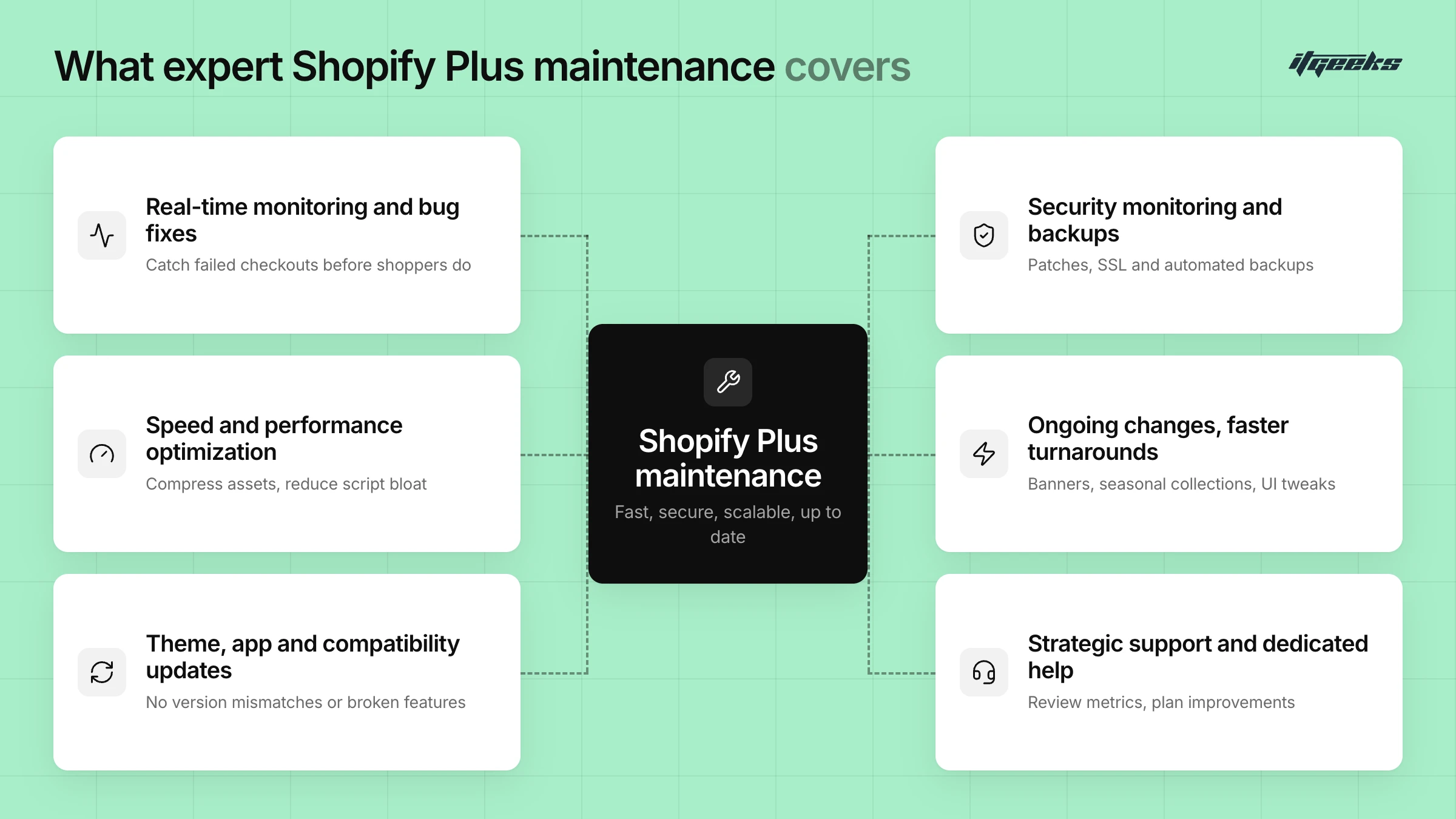
Theme, App, and Compatibility Updates
As Shopify releases platform updates and third-party apps evolve, ensuring compatibility becomes essential. Regular maintenance includes checking that themes, apps, and custom code continue to function properly, preventing design inconsistencies or broken features caused by version mismatches. Shopify releases new Editions regularly, so it also helps to review our Shopify Spring 2026 Editions summary and decide which updates are worth adopting.
Security Monitoring and Backup Management
A secure store protects both business data and customer trust. Security maintenance includes monitoring for vulnerabilities, applying security patches to themes, apps and custom code, checking SSL and domain connections, and keeping reliable backups so you can recover quickly after data loss or a bad deployment. In practice that means duplicating your theme before major changes and keeping exports or a backup app for store data.
Ongoing Changes with Faster Turnarounds
Shopify Plus stores often require frequent updates, from promotional banners and seasonal collections to minor UI adjustments. Maintenance ensures that these changes can be implemented quickly and accurately, without disrupting store functionality or design consistency.
Strategic Support and Dedicated Assistance
Beyond technical upkeep, ongoing maintenance includes advisory support, reviewing performance metrics, aligning store capabilities with evolving goals, and identifying areas for improvement. This type of strategic oversight is typically handled by experienced Shopify Plus Maintenance Experts or a trusted Shopify Platinum Partner.
A must read for Shopify Store Design and Development
How often should a Shopify store be maintained?
Maintenance works best as a steady rhythm rather than a one-off fix. As a practical guide: monitor for errors and failed checkouts continuously, review speed, apps and broken links every month, run a deeper audit of apps, permissions, backups and content every quarter, and do extra testing before big sales events and after any theme or app update. This is general guidance, not a Shopify requirement, so adjust it to how often your store changes. For a task-by-task list, see our step-by-step Shopify maintenance handbook.
“Is Shopify Down for Maintenance?” Understanding Platform-level vs. Store-Level Issues
Check the Shopify Status page first. If Shopify’s services show as operational but your store is slow or broken, the cause is usually at the store level, such as an app, theme, custom code or integration. The status page also links to “My Shopify Status” for store-specific details.
Sometimes I feel my Shopify is down - while it is actually my store which is really down. How do I identify the real issue?
It’s a common question among store owners: Is Shopify down, or is it just my store? When you experience sudden slowdowns, glitches, or unexpected errors, it’s natural to wonder whether the issue is coming from Shopify’s side.
Shopify occasionally performs scheduled platform-wide maintenance or encounters brief service outages, these are typically announced in advance and reflected on the Shopify Status Page. Note that Shopify itself says some issues affecting a small percentage of stores may not appear on the status page, so also check your own store. However, the majority of technical problems occur at the store level, not the platform level.
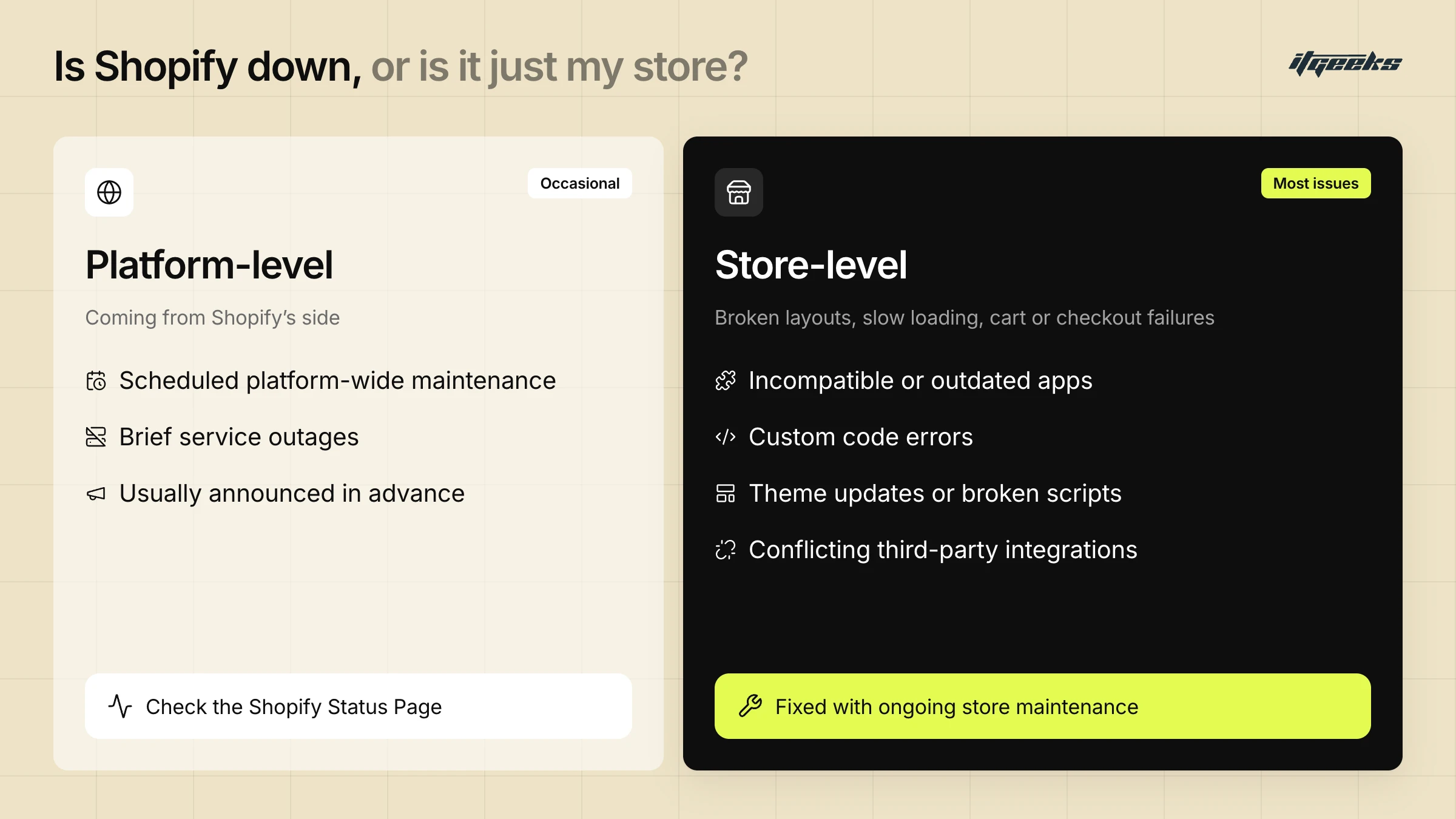
Issues such as broken layouts, slow loading times, cart malfunctions, or checkout failures often stem from:
Incompatible or outdated apps
Custom code errors
Theme updates or broken scripts
Conflicting third-party integrations
If Shopify’s systems are reported as fully operational but your store is misbehaving, it’s likely that your store requires direct attention. This is where ongoing Shopify Plus Maintenance becomes essential, helping identify, isolate, and resolve store-specific issues quickly, without relying on platform-level interventions.
Understanding this distinction can save time, reduce dependency on general support, and ensure your store runs consistently, even when the platform is fully functional.
Shopify maintenance mode and the maintenance page
Many people searching for Shopify maintenance mode want to take their own store offline for planned work. Shopify’s closest built-in option is private mode, which shows a password page to visitors. According to Shopify’s launch guide, you manage it under Online Store > Preferences > Store access.
Before you switch it on, consider the search impact. Google’s guidance on pausing an online business prefers keeping the site online and limiting functionality, for example by disabling the cart and adding a banner. It warns that taking a whole site offline can be slow to recover from. If you must go offline, Google recommends a 503 status for a day or two, and advises against 403, 404, 410 or noindex responses. Where possible, schedule risky changes on a duplicate theme instead of closing the store.
“But what can go wrong if my store isn’t maintained regularly?” A very common question we have heard a lot as a Shopify Platinum Partner. And here is the most common and logical answer -
Risks of Neglecting Maintenance
Running a Shopify Plus store without regular maintenance can lead to performance bottlenecks, missed opportunities, and avoidable disruptions. Here are some of the most common risks that arise when maintenance is overlooked:
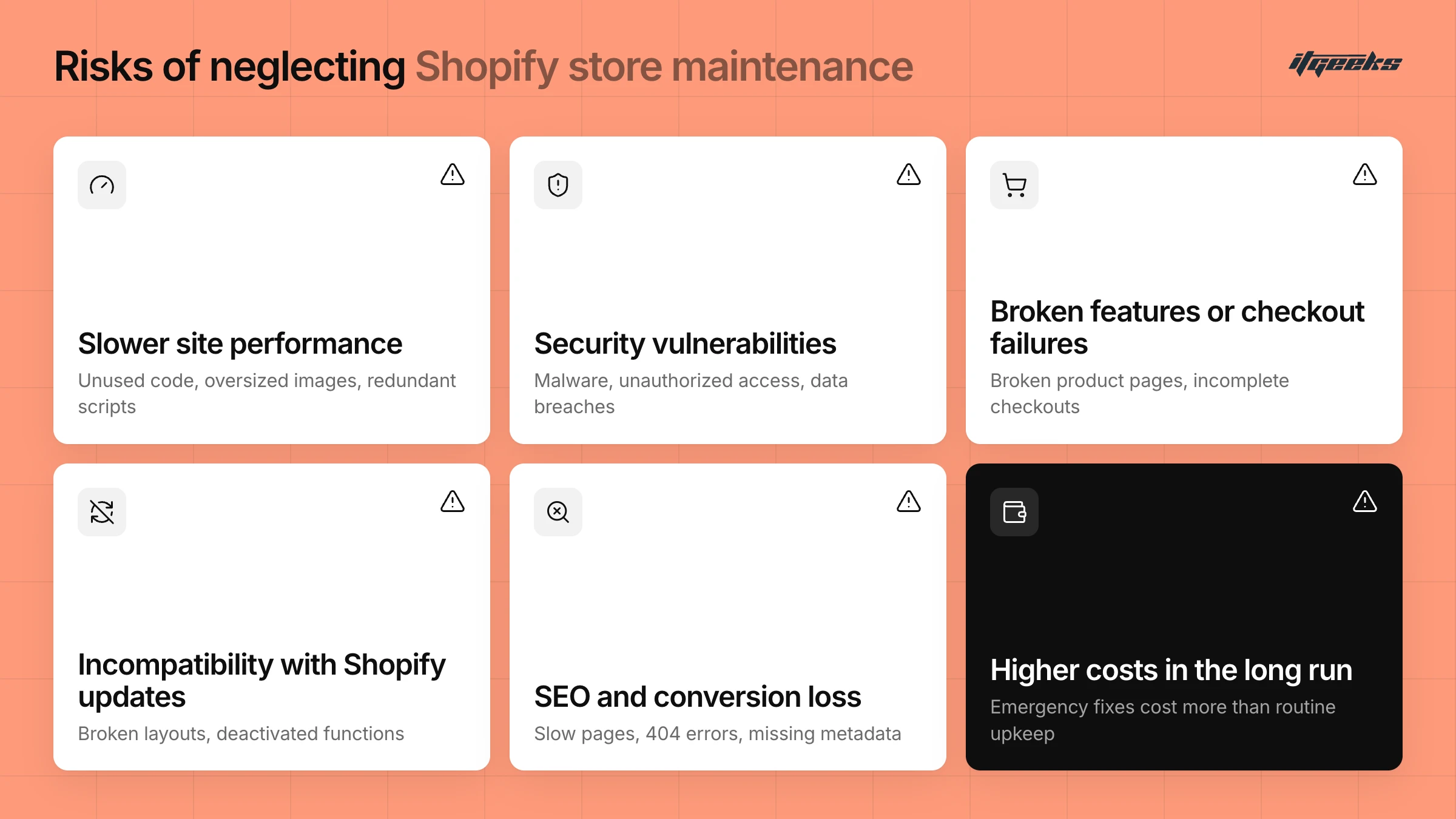
Slower Site Performance
Over time, unused code, oversized images, outdated apps, and redundant scripts can slow down your store, impacting user experience and increasing bounce rates.
Security Vulnerabilities
Without regular security checks and updates, your store may become vulnerable to threats like malware, unauthorized access, or data breaches, putting both business and customer data at risk.
Broken Features or Checkout Failures
Theme or app updates, when not monitored, can cause unexpected issues, including broken product pages, malfunctioning search, or incomplete checkout processes, all of which directly affect sales.
Incompatibility with Shopify Updates
Shopify regularly updates its platform. Stores that don’t adapt in time may face compatibility issues, resulting in broken layouts, deactivated functions, or limited access to new features.
A clear example is Shopify Scripts. Per Shopify’s developer changelog (April 9, 2026), editing and publishing new Scripts ended on April 15, 2026, and all Scripts stopped executing on June 30, 2026. Merchants were directed to rebuild that logic with Shopify Functions or public apps. Stores that had not migrated could lose custom discount, shipping or payment logic.
SEO & Conversion Loss
Glitches like slow load times, 404 errors, or missing metadata can hurt your search engine rankings. Similarly, poor UX caused by unresolved issues may reduce conversions and repeat purchases.
Higher Costs in the Long Run
Fixing accumulated issues often takes more time and resources than routine maintenance. Emergency fixes may also cause unplanned downtime or require temporary store closures.
Top Reasons to Invest in Professional Shopify Maintenance Services
1. Ensures Smooth Store Operations
Even minor glitches, like slow-loading pages or checkout failures, can frustrate users and lead to lost sales. Ongoing maintenance keeps everything running smoothly, ensuring your store remains stable, responsive, and error-free.
Regular Maintenance: Maintenance experts routinely check for broken links, display errors, outdated product feeds, or plugin conflicts that may have appeared overnight.
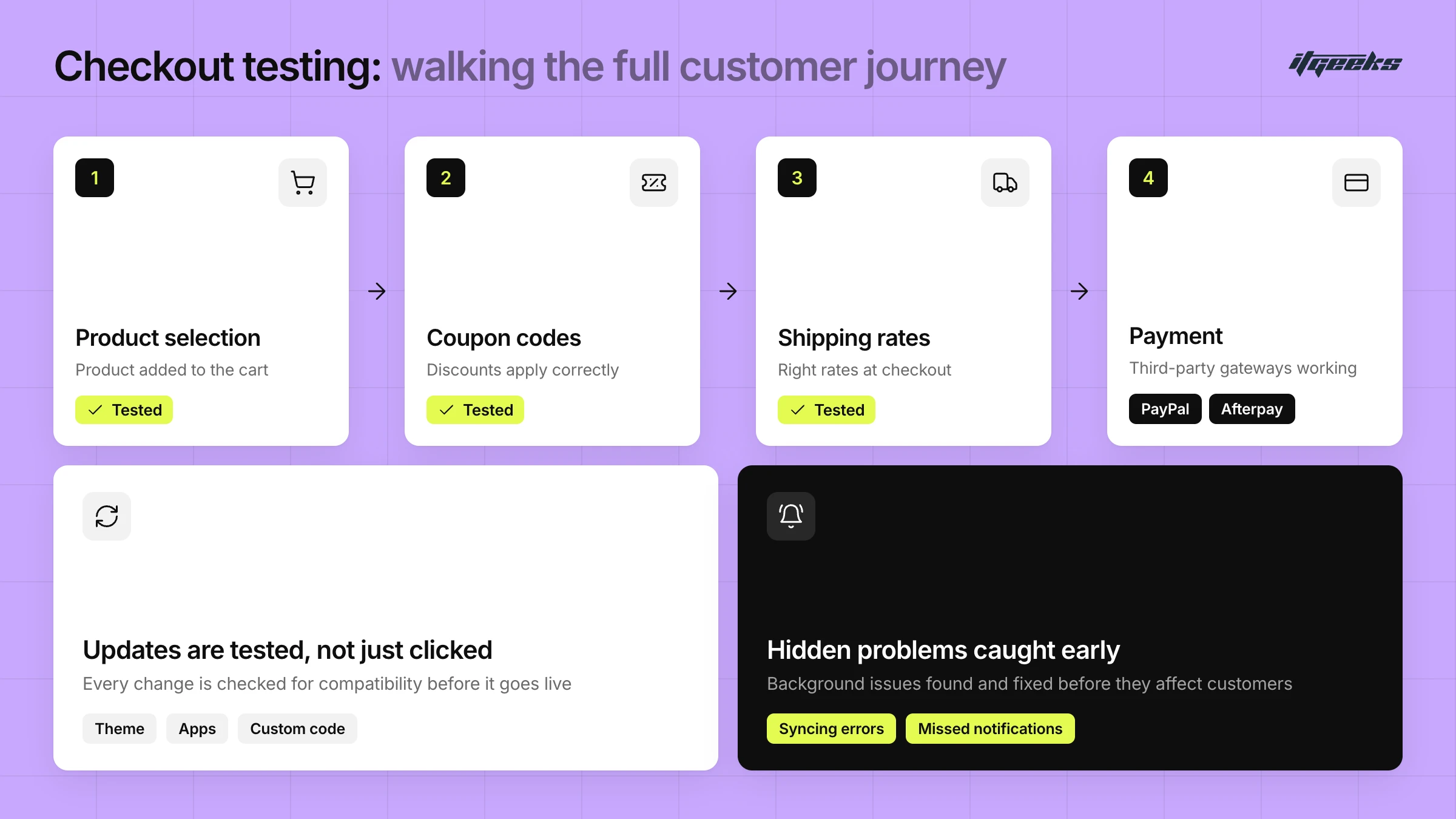
Updates are handled carefully: Instead of simply clicking "update," every change is tested to ensure compatibility with your theme, apps, and custom code, reducing the risk of bugs from version changes.
Order Flow and Checkout Testing: A seamless checkout process is critical. Shopify Plus Maintenance Experts regularly walk through the full customer journey, from product selection to payment, to ensure that coupon codes, shipping rates, and third-party payment gateways like PayPal or Afterpay are all working properly.
Even if things appear fine on the surface, background issues like syncing errors or missed notifications can still interfere with operations. Regular testing helps uncover and fix these hidden problems before they affect customers.
2. Improves Speed and Performance
Page speed affects everything from bounce rates to conversion. Shoppers are unlikely to wait for a slow site, especially on mobile devices. That’s why speed optimization is a major focus of professional Shopify Plus maintenance.
Image Optimization, Code Cleanup, and Caching:
Large, uncompressed images are a common reason stores lag. Maintenance routines include compressing visuals for faster load times without sacrificing quality.
Over time, themes accumulate unused code or scripts from old apps. This digital clutter is cleaned up to streamline performance. In addition, caching strategies are implemented to reduce server load and ensure returning visitors enjoy faster access.
A faster store isn’t just better for users, it also helps improve SEO rankings, increases engagement, and supports higher conversions. To turn performance gains into more sales, our conversion rate optimization service builds on a healthy, fast store.
3. Enhances Store Security
A Shopify store holds sensitive data, customer details, payment info, business analytics, and is a potential target for cyber threats. Security, therefore, cannot be treated as a one-time setup.
Regular Backups, Malware Scanning, and Vulnerability Patching:
Regular backups of your theme and store data mean that if anything goes wrong, whether due to human error, app conflict, or malicious attack, the store can be restored with minimal data loss.
Frequent scans for suspicious or injected scripts help detect malicious code early. In parallel, routine audits identify soft spots such as outdated themes, apps, unused staff accounts or weak configurations. Addressing these proactively helps prevent major breaches.
With continuous monitoring in place, your Shopify Plus store stays protected, not just from threats, but from downtime or data-related disruptions.
4. Fix Broken Links, Meta Tags, and On-Page Errors
SEO is not a set-it-and-forget-it task. It requires continuous upkeep, especially as products change, pages are updated, or apps modify how content is rendered.
Broken Links and Metadata Management:
As products or collections are removed or renamed, broken links inevitably appear. These negatively affect both user experience and your rankings on search engines. Maintenance teams routinely scan for and correct these issues.
Outdated or missing meta titles and descriptions reduce your visibility in search results. Ongoing updates ensure your metadata reflects your current content and keyword strategy.
On-Page Fixes and Technical SEO:
Issues like duplicate content, missing image alt text, or unoptimized headings can quietly damage your SEO potential. Regular audits catch these and keep your store aligned with best practices.
By staying consistent with optimization efforts, your Shopify store doesn't just remain functional, it stays competitive and visible in search.
What to Look for in a Shopify Support and Maintenance Services Provider
A reliable provider should offer more than just occasional fixes. You want a team (or individual) who understands the Shopify ecosystem inside and out and provides ongoing, proactive care.
Look for the following qualities:
Experience with Shopify-specific challenges
Responsive communication and fast turnaround times
Proven track record or client testimonials
Clear service packages outlining what’s included
Ability to scale with your business as your store grows
Bonus points if they offer additional support in areas like SEO, performance optimization, or app integrations, as this shows they take a holistic approach to store health.
Before you sign, ask how the plan is structured, whether that is a set number of hours each month or pay-per-request, what response times apply to urgent issues such as a failed checkout, and how monitoring and reporting work. If you are weighing a Shopify support and maintenance retainer, those answers matter more than the headline price.
Looking for a Shopify Plus Agency to handle your store’s maintenance?
ITGeeks might be the right fit. As Certified Shopify Plus Experts and Shopify Platinum Partners, we specialize in proactive, ongoing support for both Shopify and Shopify Plus stores. With experience since 2015, we understand that every business is unique, and so are its maintenance needs.
From real-time monitoring to performance optimization and tailored support, we’ve earned the trust of global E-commerce brands through expertise and consistency.
Conclusion
Ongoing Shopify maintenance services is not just a technical necessity, it’s a strategic investment in your Shopify store’s long-term success. By prioritizing regular upkeep, you ensure a secure, high-performing, and customer-friendly online store that stands out in the crowded e-commerce marketplace.
Want to explore what that looks like for your store? Schedule a consultation call with our team.
P.S. Not sure what your store needs right now? A consultation call with ITGeeks is a great place to start - for free.